Context windows explained: why your AI forgets the start of a chat
A context window is what an AI model can see as it replies. Why long chats lose their start, what context rot is, and habits that keep key details in view.
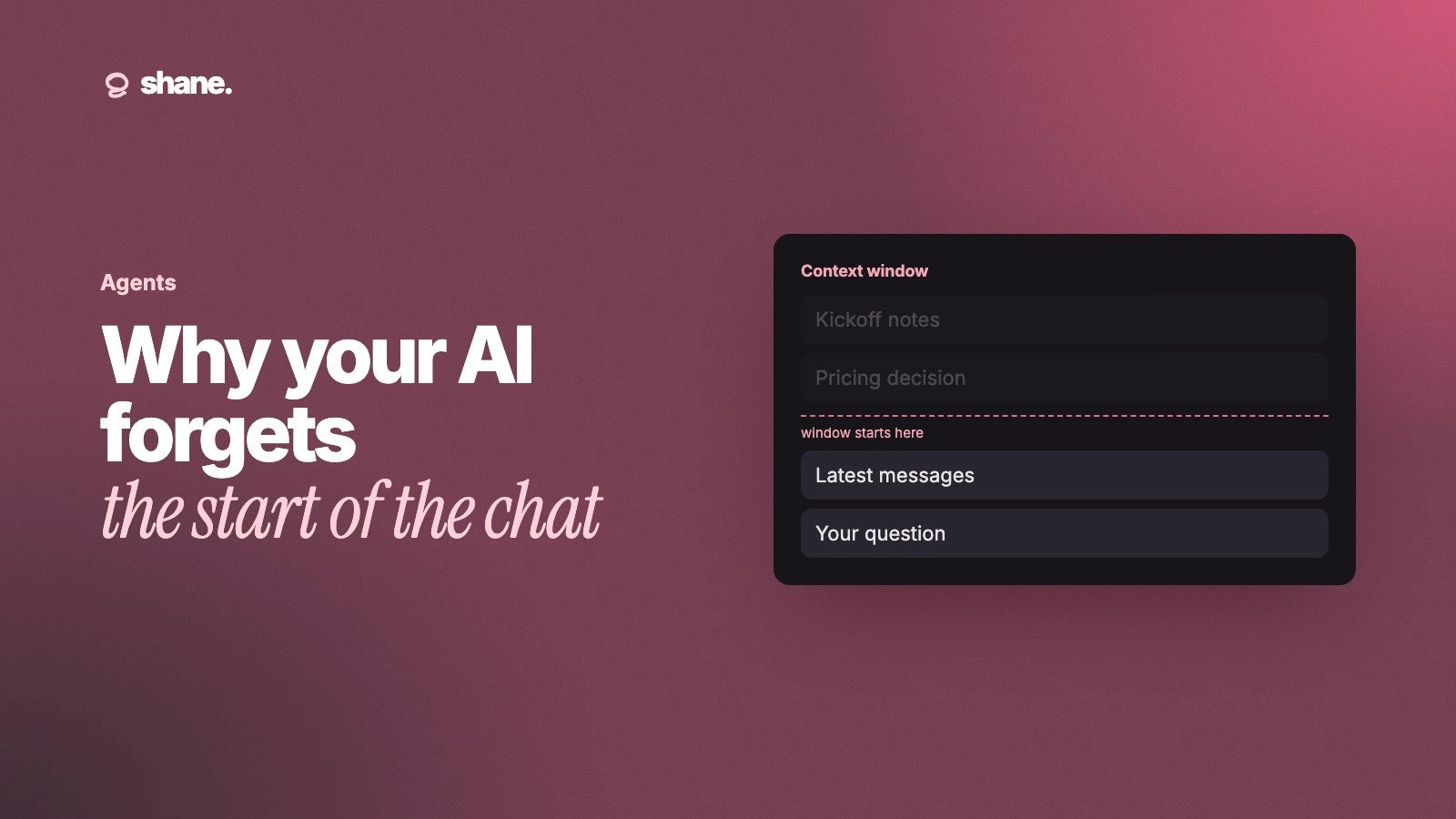
A context window is the amount of text an AI model can look at while it writes a reply: your messages, its answers, any files, and its instructions. Your AI forgets the start of a long conversation for one of three reasons: the app drops old messages to make room, it replaces them with a summary, or the model pays less attention to details buried in a long context even when they still fit.
Knowing which one is happening tells you what to do about it. This post explains the context window in plain terms, why long chats and long agent runs drift, and the habits that keep important details in view.
What a context window is
Anthropic's context window docs define it as "all the text a language model can reference when generating a response, including the response itself." It is separate from what the model learned in training. Anthropic calls it the model's "working memory."
The window is measured in tokens, which are small pieces of words. Everything in the conversation counts toward it:
The system prompt and any custom or project instructions
Every message you send and every reply the model writes
Files, images and pasted documents
Results from tools, such as web searches or database lookups
The model's own reasoning, on models that think before they answer
Each turn, the model rereads all of it. Nothing outside the window exists for that reply. Sizes vary by model. Anthropic lists many current Claude models at 1 million tokens and some older ones at 200,000.
Why the AI forgets the start of the conversation
1. Old messages get dropped
When a chat grows past the window, something has to go. Anthropic notes that chat apps such as claude.ai "can also manage the context window on a rolling 'first in, first out' basis." First in, first out means the oldest messages fall out first. The brief you wrote at the top of the chat is the first thing to go.
2. Old messages get summarized
Some tools compress instead of dropping. Anthropic describes compaction as "taking a conversation nearing the context window limit, summarizing its contents, and reinitiating a new context window with the summary." The conversation keeps going, but the model now works from a summary. A summary keeps the gist and loses specifics: the exact number, the customer's name, the "never do X" rule you mentioned once.
3. Details get lost even when they fit
This is the one people do not expect. A bigger window does not mean the model uses all of it equally well. Anthropic's docs say: "As token count grows, accuracy and recall degrade, a phenomenon known as context rot."
Researchers saw a related pattern in 2023. The paper Lost in the Middle found that "performance is often highest when relevant information occurs at the beginning or end of the input context, and significantly degrades when models must access relevant information in the middle of long contexts." Newer models handle long inputs better, but the advice holds: a detail buried halfway through a two-hour chat is at risk.
What this looks like at work
What you see | Likely cause | What to do |
|---|---|---|
The AI ignores a rule you set at the start | Message dropped or summarized | Restate the rule, or start a fresh chat with a brief |
It gets a number slightly wrong late in a chat | Summary lost the specific | Paste the exact figure again, or keep it in project instructions |
It misses a fact in a long pasted doc | Context rot, lost in the middle | Paste only the relevant section, put it near your question |
An agent repeats work it already did | Its earlier steps were compacted | Have it keep a running notes file |
Answers get vaguer the longer you go | Too much in the window | Summarize, then restart |
Habits that keep the right things in view
Start new chats more often
One task per chat. When a chat has wandered through three topics, ask for a summary of decisions so far, copy it, and open a new chat with it. A fresh window with a 200-word brief beats a full one with the brief somewhere near the top.
Put standing rules in instructions, not the first message
Project instructions and custom instructions are sent with every turn, so they do not scroll out of view the way a first message can. Put tone, audience and hard rules there. Keep the chat for the task itself.
Give less, but the right part
Pasting a 60-page handbook to ask about the refund policy fills the window with text the model has to look past. Paste the refund section. Docs written in short, self-contained sections make this easy; see how to write docs your AI tools can use.
Put the key detail near the question
If a figure matters, repeat it in the message where you ask for the answer. "Using the Q3 target of 140 new accounts, draft the board update" leaves nothing to chance.
For agents, write things down outside the window
Long agent runs hit the limit faster, because tool results and file contents pile up. Anthropic recommends structured note-taking, where agents "regularly write notes persisted to memory outside of the context window." A plain progress file the agent reads and updates at each step works. The same idea applies when one agent hands work to another: see agent handoffs.
A worked example: a launch plan
Say you spend an afternoon with an AI assistant planning a product launch. In the first message you say the launch date is 4 November, the budget is fixed, and legal must review any claim about security. Two hours later, after drafting emails, a landing page and a press note, you ask for a final checklist. It suggests a paid social campaign and a "bank-grade security" headline.
Nothing broke. The early rules were dropped, summarized away, or buried mid-conversation. The fix is a short pinned brief: date, budget, review rules. Put it in project instructions, or paste it at the top of a fresh chat for the checklist step. Then the rules are in view for every reply, not just the first.
FAQ
Is a bigger context window the fix?
It helps, but it does not solve it. A bigger window delays dropping and summarizing, but context rot means more text can still mean worse recall. What you put in the window matters as much as how big it is.
Is the context window the same as AI memory?
No. The context window is what the model sees during one conversation. Memory features save some facts between conversations and feed them into new ones. For how each assistant does that, see AI memory explained.
Do uploaded files count toward the context window?
When a file is loaded into the conversation, yes. Some tools instead search large files and add only the relevant parts, which saves room but means the model never sees the whole file.
How do I know when I am near the limit?
Most chat apps do not tell you clearly. Treat long chats, many pasted files, and answers that start ignoring earlier rules as signals to summarize and restart.
The short version
The context window is the model's working memory for one conversation. Long chats lose their start because old messages get dropped or summarized, and long contexts blur details even when they fit. Keep chats focused, put standing rules in instructions, paste less, repeat what matters, and have agents keep notes outside the window.
We're building Shane to hold the decisions and facts your team relies on outside any one chat, so every tool and agent can pull in the right ones for each task. If that's a problem your team has, you can join the waitlist at tryshane.ai.